How to Configure Upsell Offers steps
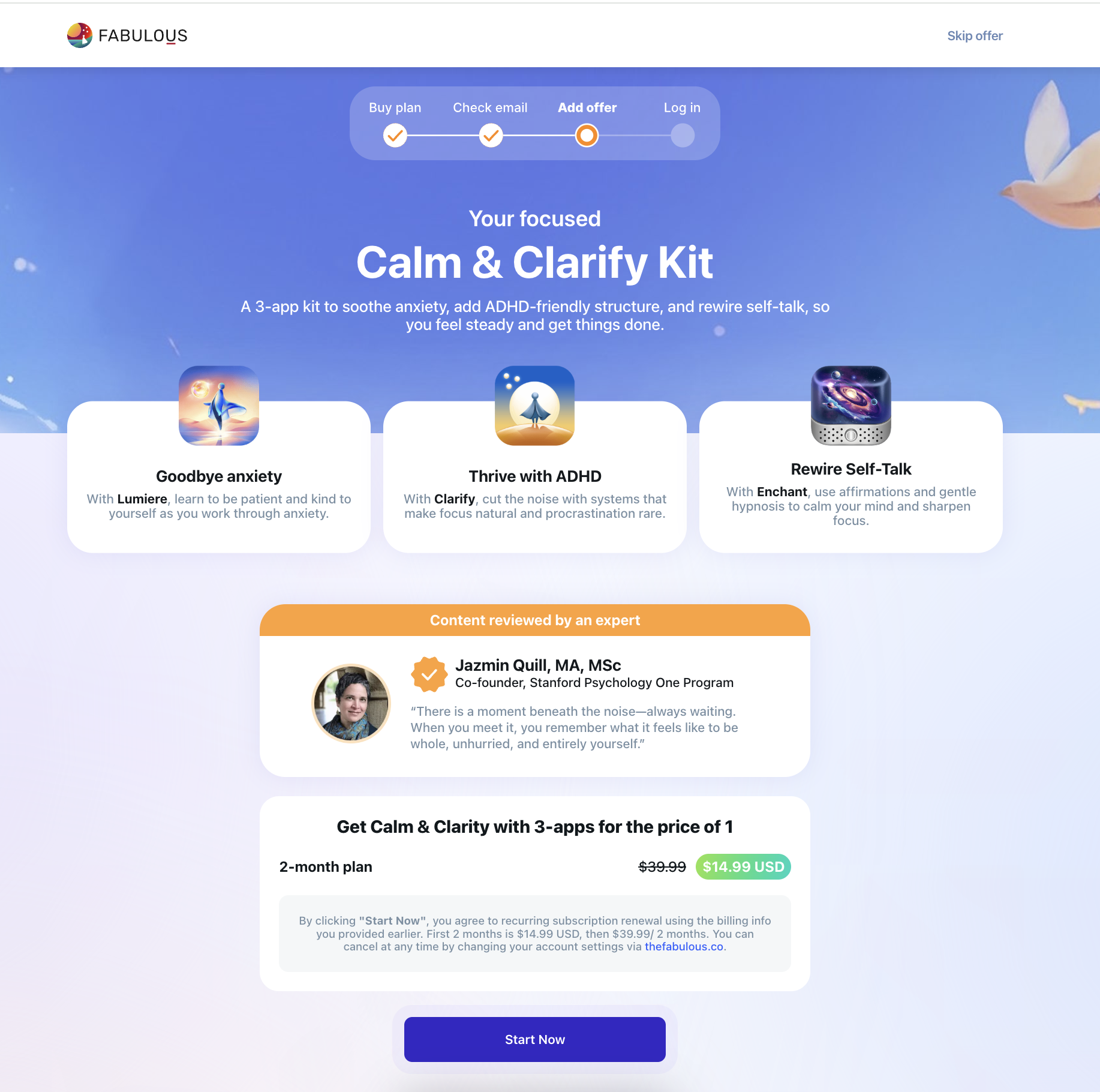
All the supported upsell offers can be used as steps and part of the onboarding configs. The code will use the default value if you use the steps without new values. For example, in the [platinum_mini_bundle](Onboarding Templates/Post Purchase Offers/Platinum/platinum_mini_bundle), all you need to use it as a step is to add it, like this:
{
  "stepId": "clarify-kit",
  "type": "platinum",
  "platinumType": "platinum_mini_bundle",
  "platinumPath": "calm-and-clarify-kit"
}
And then the code will fall back to [platinum_mini_bundle](Onboarding Templates/Post Purchase Offers/Platinum/platinum_mini_bundle).
Overriding the default values
To override the default values, you’ll need to know the structure of the values you’d like to override – for reference, you can refer to the default JSON values provided by the frontend team.
[!NOTE] If the default configurations are not included in the offers' documentation, you can request that the frontend team add them to the documentation.
Examples
Changing the hero section data
This is the default hero section in [platinum_mini_bundle](Onboarding Templates/Post Purchase Offers/Platinum/platinum_mini_bundle)
"hero": {
  "desktopBackground": "https://c.thefab.co/web-onboarding/fabulous/img_hero_calm_kit_desktop.jpg",
  "mobileBackground": "https://c.thefab.co/web-onboarding/fabulous/img_hero_calm_kit_mobile.jpg",
  "tabletBackground": "https://c.thefab.co/web-onboarding/fabulous/img_hero_calm_kit_tablet.jpg",
  "title": "Your focused",
  "subtitle": "Calm & Clarify Kit",
  "textColor": "#FFF",
  "paragraph": "A 3-app kit to soothe anxiety, add ADHD-friendly structure, and rewire self-talk, so you feel steady and get things done.",
  "titleColor": "#FFF",
   "imageUrl": "https://c.thefab.co/web-onboarding/fabulous/img_hero_bar_progress.svg"
}
To change the title only, the step should be something like this:
{
  "stepId": "clarify-kit",
  "type": "platinum",
  "platinumType": "platinum_mini_bundle",
  "platinumPath": "calm-and-clarify-kit",
  "hero": {
     "title": "New Title"
  }
}
To change both the title and subtitle:
{
  "stepId": "clarify-kit",
  "type": "platinum",
  "platinumType": "platinum_mini_bundle",
  "platinumPath": "calm-and-clarify-kit",
  "hero": {
     "title": "New Title",
     "subtitle": "New Subtitle"
  }
}
Changing the featuresCards section data
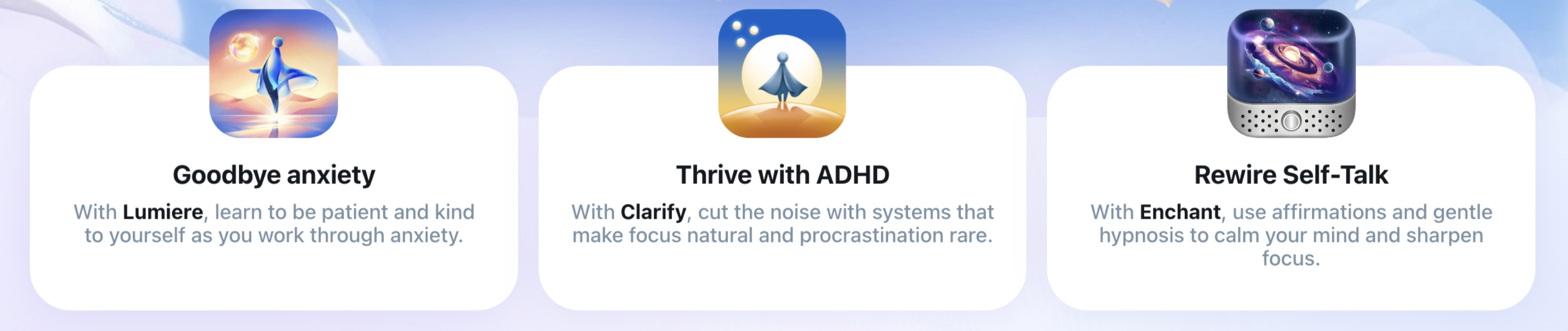
The default features are:
"featuresCards": [
        {
            "imageUrl": "https://c.thefab.co/web-onboarding/fabulous/icon/img_clarify_kit_lumiere.png",
            "title": "Goodbye anxiety",
            "titleColor": "#14191D",
            "subtitle": "With <span style=\"font-weight: 700; color:#14191D\">Lumiere</span>, learn to be patient and kind to yourself as you work through anxiety.",
            "subtitleColor": "#7A90A3",
            "backgroundColor": "#FFF",
            "boxShadow": "0 0 30px 0 rgba(44, 32, 187, 0.08)"
        },
        {
            "imageUrl": "https://c.thefab.co/web-onboarding/fabulous/icon/img_clarify_kit_clarify.png",
            "title": "Thrive with ADHD",
            "titleColor": "#14191D",
            "subtitle": "With <span style=\"font-weight: 700; color:#14191D\">Clarify</span>, cut the noise with systems that make focus natural and procrastination rare.",
            "subtitleColor": "#7A90A3",
            "backgroundColor": "#FFF",
            "boxShadow": "0 0 30px 0 rgba(44, 32, 187, 0.08)"
        },
        {
            "imageUrl": "https://c.thefab.co/web-onboarding/fabulous/icon/img_clarify_kit_enchant.png",
            "title": "Rewire Self-Talk",
            "titleColor": "#14191D",
            "subtitle": "With <span style=\"font-weight: 700; color:#14191D\">Enchant</span>, use affirmations and gentle hypnosis to calm your mind and sharpen focus.",
            "subtitleColor": "#7A90A3",
            "backgroundColor": "#FFF",
            "boxShadow": "0 0 30px 0 rgba(44, 32, 187, 0.08)"
        }
    ]
To change the subtitles of these cards, the step would be like this:
{
    "stepId": "clarify-kit",
    "type": "platinum",
    "platinumType": "platinum_mini_bundle",
    "platinumPath": "calm-and-clarify-kit",
    "featuresCards": [
        {
            "subtitle": "First card new subtitle"
        },
        {
            "subtitle": "Second card new subtitle"
        },
        {
            "subtitle": "Third card new subtitle"
        }
    ]
}
The same logic goes for the rest of the keys.